Convert PDF to Excel.
Pull the ruled tables out of a PDF into an Excel spreadsheet: each table cell becomes a spreadsheet cell, one sheet per page, with the exact text the PDF holds.
Inside The Conversion
See The Input. Inspect The Result.
A real PDF to EXCEL conversion using a sample file. Compare the files below, then use the converter above with your own file.
Recorded Sample
Converted on the server in this run.
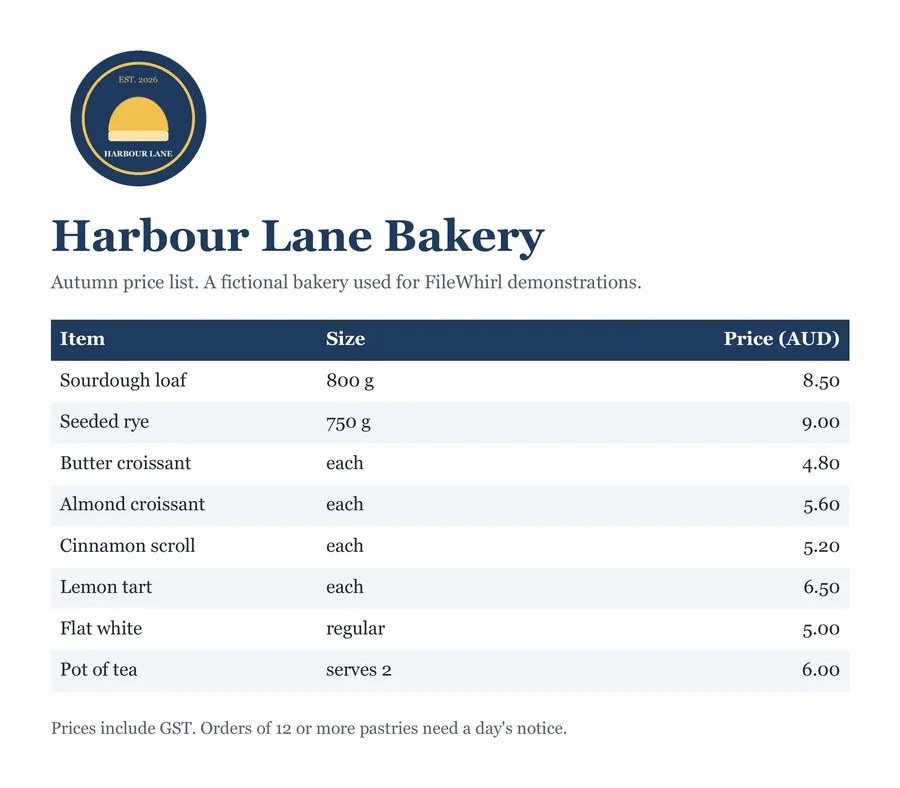
harbour-lane-price-list.pdf
harbour-lane-price-list.xlsx
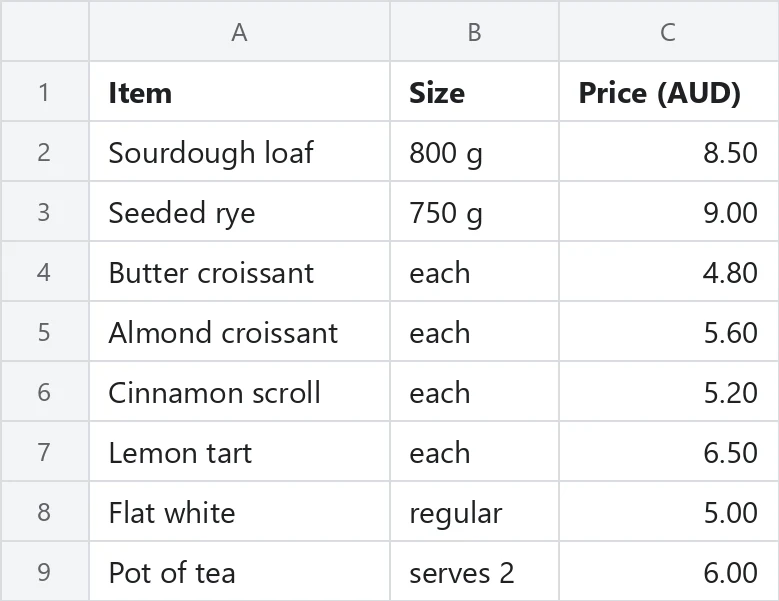
Previews show the sample files from this recorded conversion. Choose Input or Result to focus on one file.
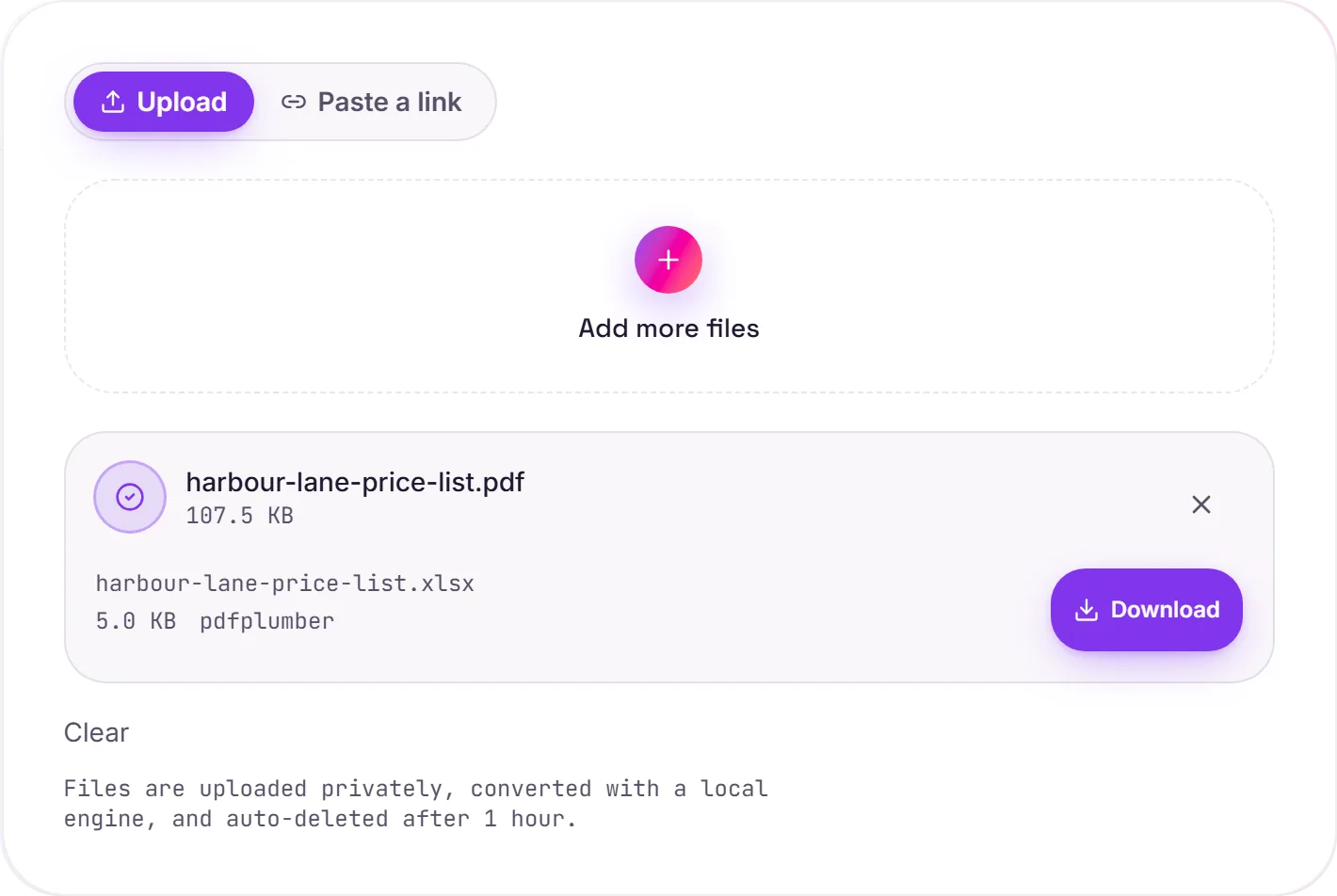
View The Original Run Capture
A screenshot of the completed run, preserved in its original theme. The comparison above adapts to your current theme.
What we measured
We ran test PDFs through the same engine the site uses and opened every result in a spreadsheet library.
- A 4 by 4 table with grid lines came back cell for cell. Invoice 007 stayed the text 007, the amount 1,234.50 became the number 1234.5 shown as 1,234.50, the quantity 3 became the number 3, and the credit column with (15.00) stayed text as written.
- A three page PDF with tables on pages 1 and 3 gave two sheets, Page 1 and Page 3.
- Two tables on one page landed on one sheet, a blank row apart.
- A cell holding two lines of text came back as one cell with a line break.
- The same table typed with no lines, and again with horizontal rules only, was refused with a message saying no table was found.
If your table has no lines
Use PDF to Word or PDF to text to get the words out, then paste them into a sheet. For a scanned page, run OCR first so there is text to read, then do the same.
How it works
- 01
Upload your PDF
Drop a PDF that contains tables drawn with grid lines, or click to browse.
- 02
Tables are found by their lines
pdfplumber reads the ruled lines on each page and maps every cell to a row and column. No paid API in the loop.
- 03
Download
Grab your .xlsx and open it in Excel, Google Sheets or Numbers.
One sheet per page that has a table, named after the page
Number columns are real numbers, codes like 007 stay 007
Several tables on a page are stacked with a blank row between
Refuses a PDF with no ruled table instead of giving you an empty file
Private uploads, auto deleted after 1 hour, no watermark
PDF to XLSX
This rebuilds an editable XLSX from the PDF's text and layout. PDFs don't store document structure, so it's a best-effort reconstruction: simple, text-led files convert cleanly, while heavy design, columns and scans come out approximate.
Common questions
What kind of PDF works?+
A PDF whose tables are drawn with grid lines around the cells, the way most bank statements, invoices and exported reports are. The engine finds a table by its ruled lines, both across and down. A table laid out with spacing only, with no lines, or one with horizontal rules only, is not detected, and you get a clear message instead of a file.
Are numbers stored as numbers?+
Yes, when the whole column is numbers. A column where every cell below the heading is a plain number, such as 8.50, 12 or 1,234.50, is stored as numbers shown exactly as printed, so 8.50 still reads 8.50 and SUM works. A column holding any code with a leading zero, such as 007, or any word, currency sign, percent or bracketed amount such as (15.00), stays text in every row, so no code or amount is changed.
How are pages and tables arranged?+
Each page that has a table gets its own sheet named after the page, so tables on pages 1 and 3 land on sheets Page 1 and Page 3, and a page with no table is skipped. Two tables on one page share a sheet with a blank row between them. Text that wraps onto two lines inside one cell stays in that cell with a line break.
Does it work on scanned PDFs?+
A scan is a picture of the page, so it is refused. The engine finds tables by lines drawn in the PDF itself, and lines inside a scanned picture do not count, even after OCR. For a scan, run OCR and then use PDF to Word or PDF to text.
Is it free and private?+
Yes. Convert PDF to Excel free, no signup. Uploads go to a private bucket and auto delete after 1 hour; files never touch a third party converter.