Convert WAV to MP3.
Compress large WAV recordings into portable MP3s at high bitrate. Then transcribe them with TranscriptAI.
Inside The Conversion
See The Input. Inspect The Result.
A real WAV to MP3 conversion using a sample file. Compare the files below, then use the converter above with your own file.
Recorded Sample
Converted on the server in this run.
gymnopedie-no-1.wav
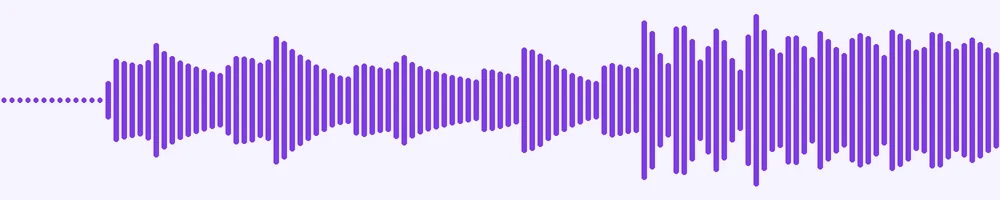
Waveform Preview, 20 s of audio
gymnopedie-no-1.mp3
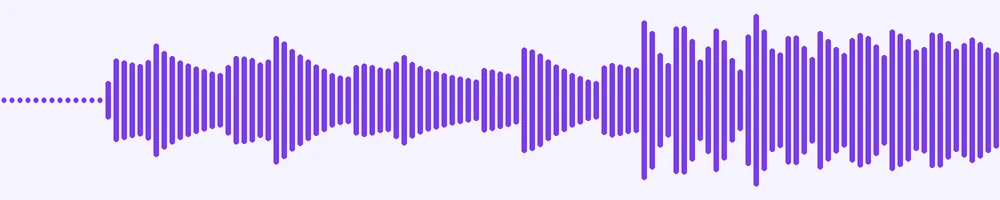
Waveform Preview, 20 s of audio
Previews show the sample files from this recorded conversion. Choose Input or Result to focus on one file.
View The Original Run Capture
A screenshot of the completed run, preserved in its original theme. The comparison above adapts to your current theme.

WAV vs MP3: quality vs portability
WAV is uncompressed audio, pristine quality, but enormous, around 10 MB per minute. MP3 is compressed: a small fraction of the size and playable on essentially every device and app. Converting is how you turn a bulky studio or voice recording into something you can email, upload or carry around without eating storage.
Does it sound worse?
MP3 is lossy, but at a high bitrate the difference is inaudible for speech and very hard to pick out for music. Keep the WAV as your master if you'll edit or archive it; reach for MP3 whenever the goal is sharing or playback.
Recording you want transcribed?
A smaller MP3 uploads faster and transcribes just as well, once it's converted you can send it straight to TranscriptAI for a transcript, summary and notes.
How it works
- 01
Upload your WAV
Drop a file or pick one from your device. Private by default.
- 02
Convert with a local engine
WAV becomes MP3 using a best-in-class open engine, no paid API in the loop.
- 03
Download or hand off
Grab your MP3, or send it straight to TranscriptAI for a transcript, notes and summary.
Best available engine, honest about limits
Private uploads, auto-deleted after 1 hour
No watermark, no signup to try
Handles large files
Transcript-ready output
Direct handoff to TranscriptAI
WAV to MP3: re-encoded
MP3 is a compressed, lossy audio format, so this re-encodes the sound and the file gets smaller. Every lossy re-encode sheds a little quality, so convert from the best source you have rather than chaining conversions.
Need more than a conversion?
Send your audio or video to TranscriptAI to generate a transcript, summary, structured notes, flashcards, quiz questions or action items: automatically.
Common questions
Is it free?+
Yes. Convert WAV to MP3 free. No signup and no watermark. Free covers 10 server conversions a day, up to 100 MB a file. Pro removes the daily limit and raises the file limit to 2 GB.
Is my file private?+
Uploads go to a private bucket, are converted, and auto-delete after 1 hour. Files never touch a third-party converter.
Will quality hold up?+
We use the strongest open engine for this route. High-bitrate, faithful output.