Convert XLSX to JSON.
Convert an Excel workbook to JSON, every sheet captured as named arrays of records. Faithful, typed-safe.
Inside The Conversion
See The Input. Inspect The Result.
A real XLSX to JSON conversion using a sample file. Compare the files below, then use the converter above with your own file.
Recorded Sample
Converted on the server in this run.
harbour-lane-price-list.xlsx
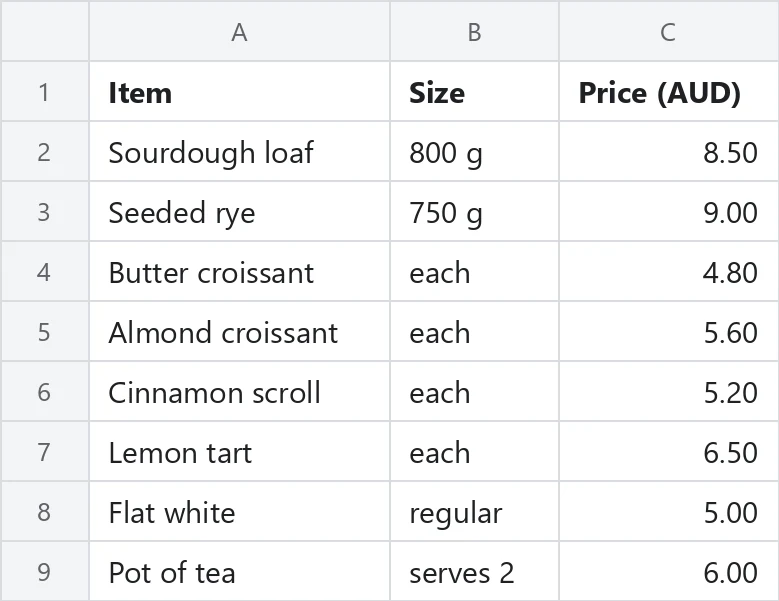
harbour-lane-price-list.json
Opening Lines
[
  {
    "Item": "Sourdough loaf",
    "Size": "800 g",
    "Price (AUD)": "8.5"
  },
  {
    "Item": "Seeded rye",
    "Size": "750 g",
    "Price (AUD)": "9"
  },
  {
Previews show the sample files from this recorded conversion. Choose Input or Result to focus on one file.
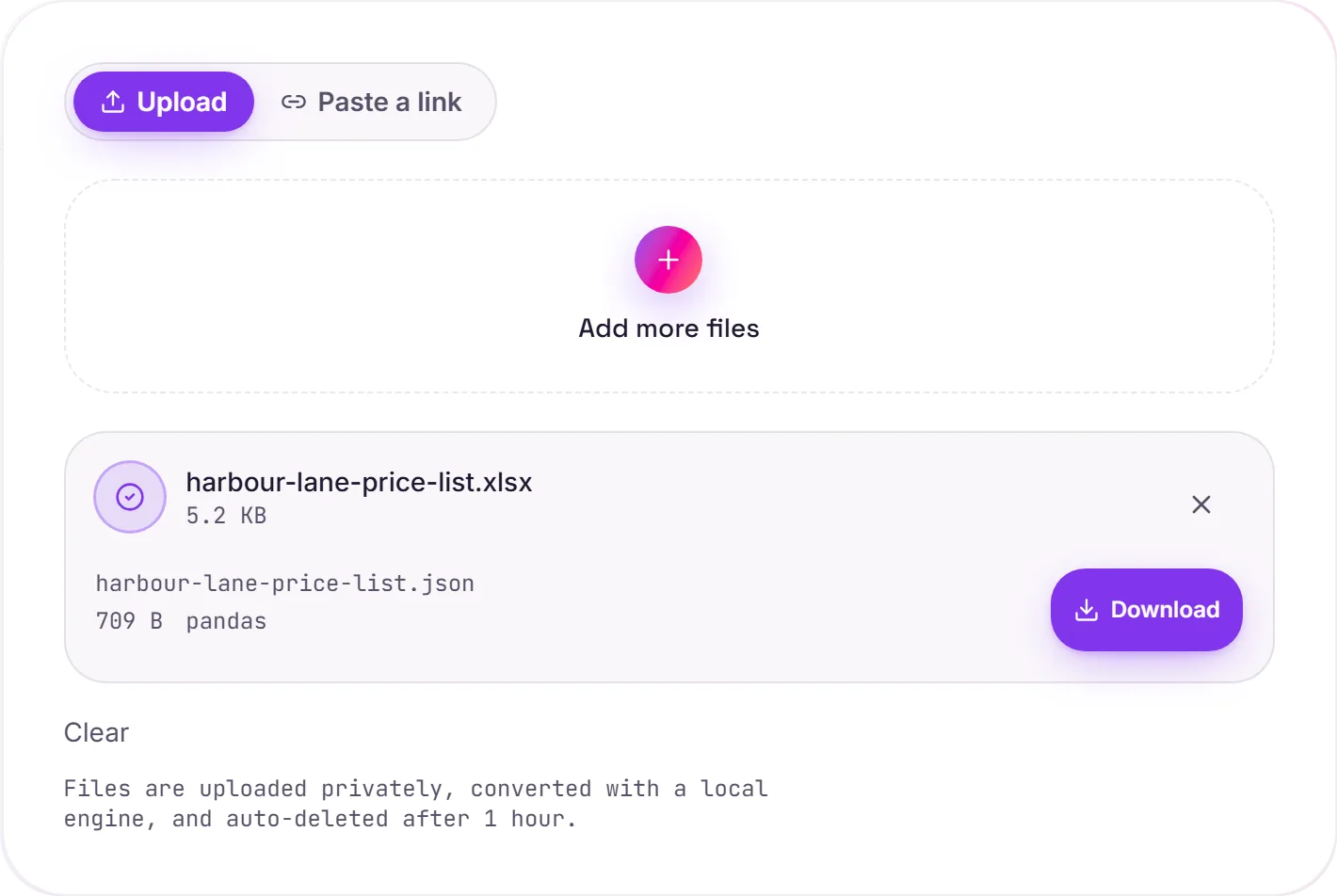
View The Original Run Capture
A screenshot of the completed run, preserved in its original theme. The comparison above adapts to your current theme.
A spreadsheet as structured data
This turns an Excel workbook into JSON your code can actually consume: each sheet becomes an array of objects keyed by its header row, so a row of data reads like { "name": "Ada", "role": "Engineer" }. It's the fastest way to get spreadsheet data into a web app, an API or a script without a manual export-and-reshape.
Multiple sheets stay separate
Unlike CSV, JSON can hold the whole workbook: sheets are captured as named arrays, so a multi-tab file keeps its structure rather than being flattened into one table. Codes and IDs are kept as text so leading zeros aren't lost.
Going the other way
Need flat tabular output instead? XLSX to CSV gives you one sheet per file, and JSON to CSV flattens records back into a spreadsheet table.
How it works
- 01
Upload your XLSX
Drop a file or pick one from your device. Private by default.
- 02
Convert faithfully
XLSX becomes JSON with a free, open-source engine, values preserved exactly, no paid API in the loop.
- 03
Download
Grab your JSON.
Values preserved exactly, no mangled IDs or zeros
Multi-sheet workbooks fully supported
Private uploads, auto-deleted after 1 hour
No watermark, no signup to try
Free and open-source engine
XLSX to JSON
This converts tabular data from XLSX to JSON. Values, rows and columns carry over; formulas, charts and styling generally aren't carried across, what you get is the data, cleanly structured.
Common questions
Is it free?+
Yes. Convert XLSX to JSON free. No signup and no watermark. Free covers 10 server conversions a day, up to 100 MB a file. Pro removes the daily limit and raises the file limit to 2 GB.
Is my data private?+
Uploads go to a private bucket, are converted, and auto-delete after 1 hour. Files never touch a third-party converter.
Are leading zeros and IDs kept?+
Yes. Cells are read as text, so codes like 007 and long IDs are preserved exactly, never converted to numbers.