Convert MP4 to SRT.
Generate accurate SRT subtitles from an MP4 video automatically with Whisper AI: perfectly timed caption cues.
Inside The Conversion
See The Input. Inspect The Result.
A real MP4 to SRT conversion using a sample file. Compare the files below, then use the converter above with your own file.
Recorded Sample
Converted on the server in this run.
we-choose-to-go-to-the-moon.mp4
we-choose-to-go-to-the-moon.srt
Opening Lines
1
00:00:00,000 --> 00:00:09,640
But why some say the moon? Why choose this as our goal? And they may well a...

2
00:00:09,640 --> 00:00:17,600
the highest mountain? Why, 35 years ago, fly the Atlantic? Why does rice pl...

3
00:00:17,600 --> 00:00:29,870
choose to go to the moon. We choose to go to the moon. We choose to go to t...
Previews show the sample files from this recorded conversion. Choose Input or Result to focus on one file.
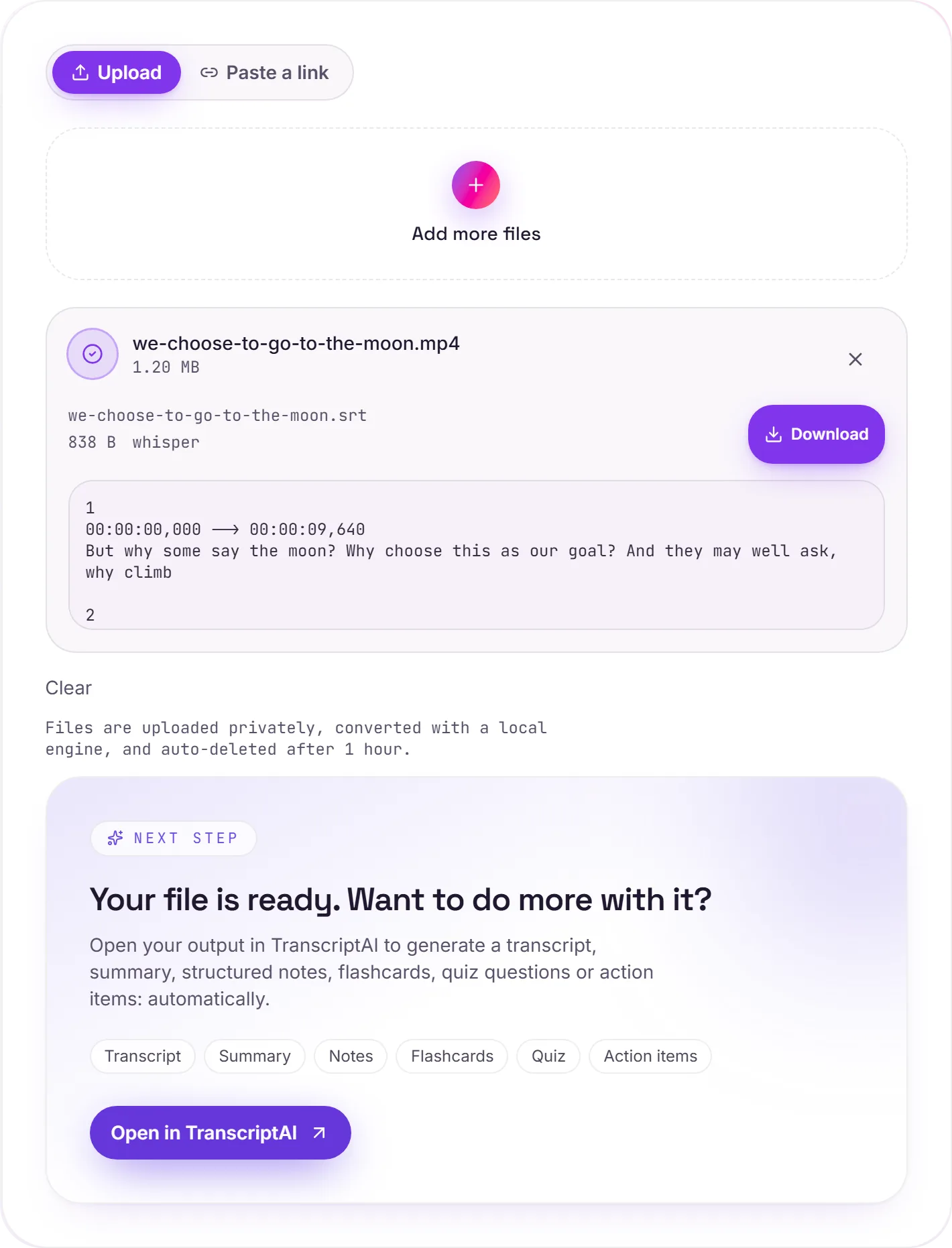
View The Original Run Capture
A screenshot of the completed run, preserved in its original theme. The comparison above adapts to your current theme.
Why add SRT subtitles to your video
SRT (SubRip) is the most widely-supported subtitle format, a simple text file of numbered cues, each with a start/end timecode and a line or two of text. Adding it to a video pays off three ways: accessibility (deaf and hard-of-hearing viewers), reach(a large share of social video is watched with the sound off, so on-screen captions keep people watching), and discoverability (the text is searchable and gives platforms something to index). Auto-generating the SRT means you skip the tedious part.
How the transcription works
FileWhirl pulls the audio from your MP4 and runs it through Whisper (the faster-whisper build, small model) with voice-activity detection, which trims silence so the cue timings line up cleanly with speech. It handles a wide range of accents well. As with any automatic transcription, it's worth a quick read-through to fix proper nouns, brand names and technical jargon before you publish.
Use it on the web or go further
SRT works in most players and on YouTube. For an HTML5 <video> on your own site you'll want WebVTT instead. Convert it with SRT to VTT. Or open the transcript in TranscriptAI to turn it into notes, a summary or action items.
How it works
- 01
Upload your MP4
Drop a file or pick one from your device. Private by default.
- 02
Transcribe with Whisper
faster-whisper (small model + voice activity detection) produces an accurate transcript, no paid API in the loop.
- 03
Open in TranscriptAI
Grab your SRT, or open it in TranscriptAI for notes, summaries, flashcards and action items.
Accurate Whisper AI transcription
Voice activity detection for clean output
Private uploads, auto-deleted after 1 hour
No watermark, no signup to try
Free and open-source engine (Whisper)
Unlock notes & summaries in TranscriptAI
Need more than a conversion?
Send your audio or video to TranscriptAI to generate a transcript, summary, structured notes, flashcards, quiz questions or action items: automatically.
Common questions
Is it free?+
Yes. Convert MP4 to SRT free. No signup and no watermark. Free covers 10 server conversions a day, up to 100 MB a file. Pro removes the daily limit and raises the file limit to 2 GB.
Is my recording private?+
Uploads go to a private bucket, are transcribed on our own engine, and auto-delete after 1 hour. Files never go to an outside transcription service.
How accurate is it?+
We use Whisper's small model with voice activity detection: strong accuracy across accents, and clean handling of pauses and silence.